⚡ 8. Creating Workflows
Sub-topic 8 of 9
89% Complete
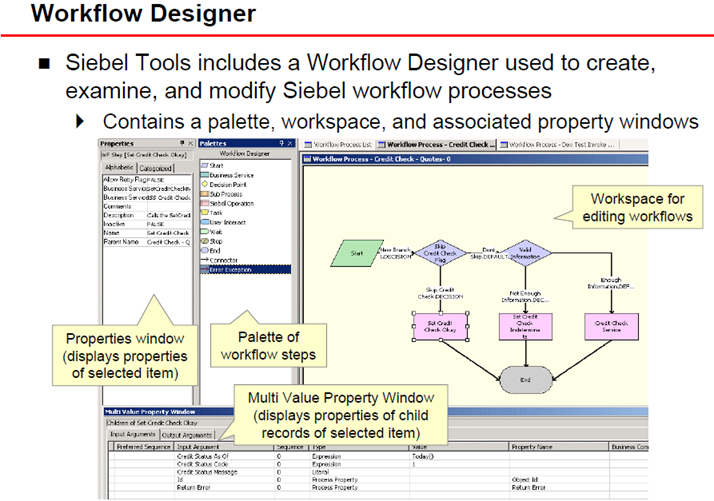
Workflow Process Manager allows you to automate business processes using a visual drag-and-drop designer.
When to Use Workflows
- Multi-step processes: Approval workflows, escalations
- Data integration: Send/receive data from external systems
- Complex business logic: Branching decisions based on multiple criteria
- Scheduled tasks: Batch operations that run automatically
Workflow Components
Process
The top-level workflow definition containing all steps and logic
Steps
Individual actions within the workflow:
- Business Service: Call a Siebel or custom service
- Decision Point: Branch based on conditions
- Sub-Process: Call another workflow
- Wait: Pause until a condition is met